TrackRoom
One place for musicians to work on songs together. Collaborate on different versions, provide feedback, and keep lyrics and tracks with each song.
Overview
TrackRoom keeps your songs in one place: work on demo songs, upload and download individual instrument tracks, lyrics, and chord charts, and leave notes and messages.
A closer look
Click any screenshot to enlarge.
Your shared library
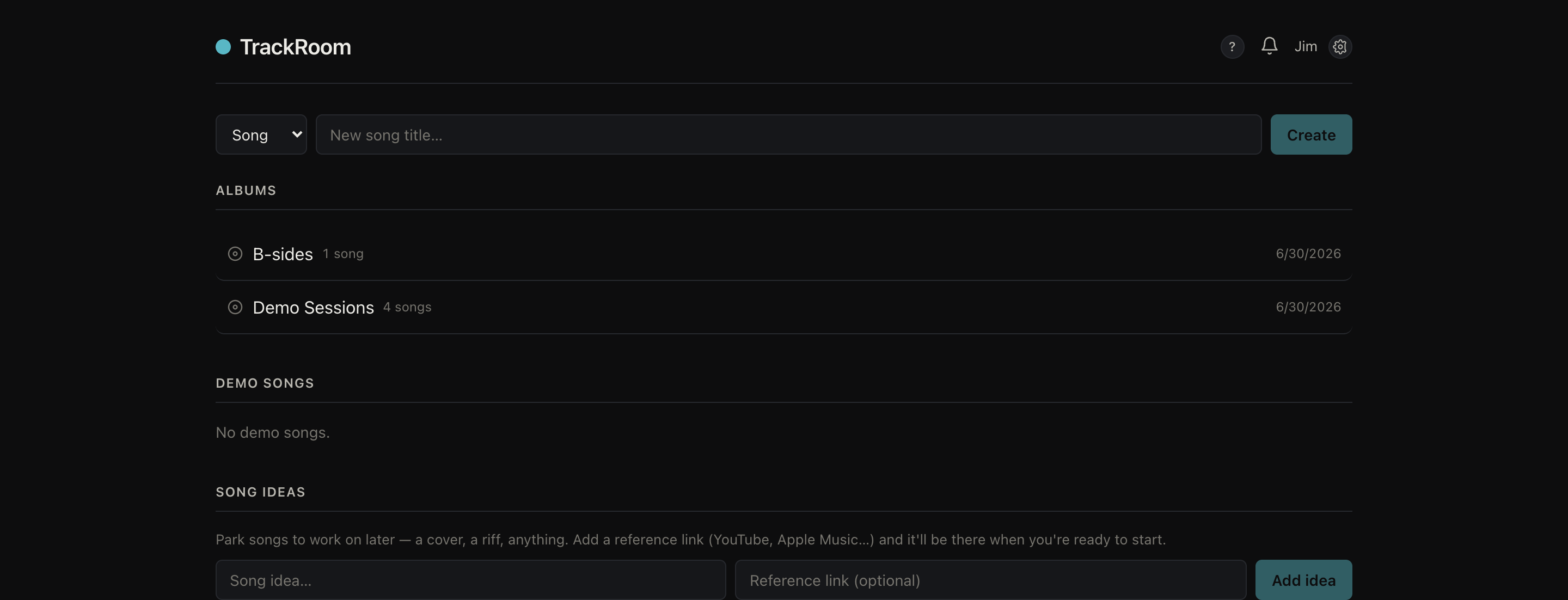
Every song and idea in one library everyone you invite can open. Start one anywhere and pick it up from any device.
Albums and discussion
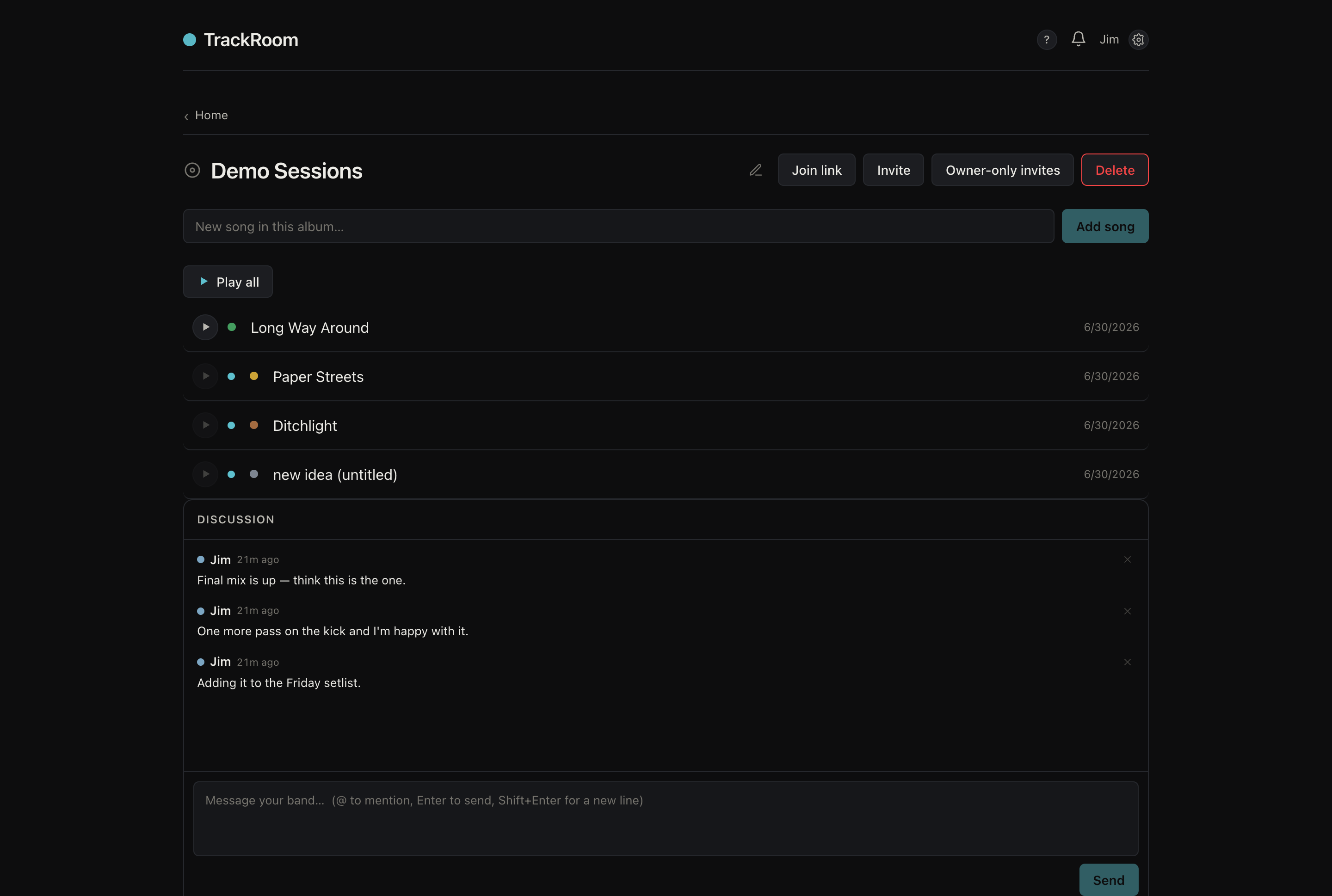
Group songs into albums for a record or a setlist, and keep a message thread right next to them.
Versions and tracks
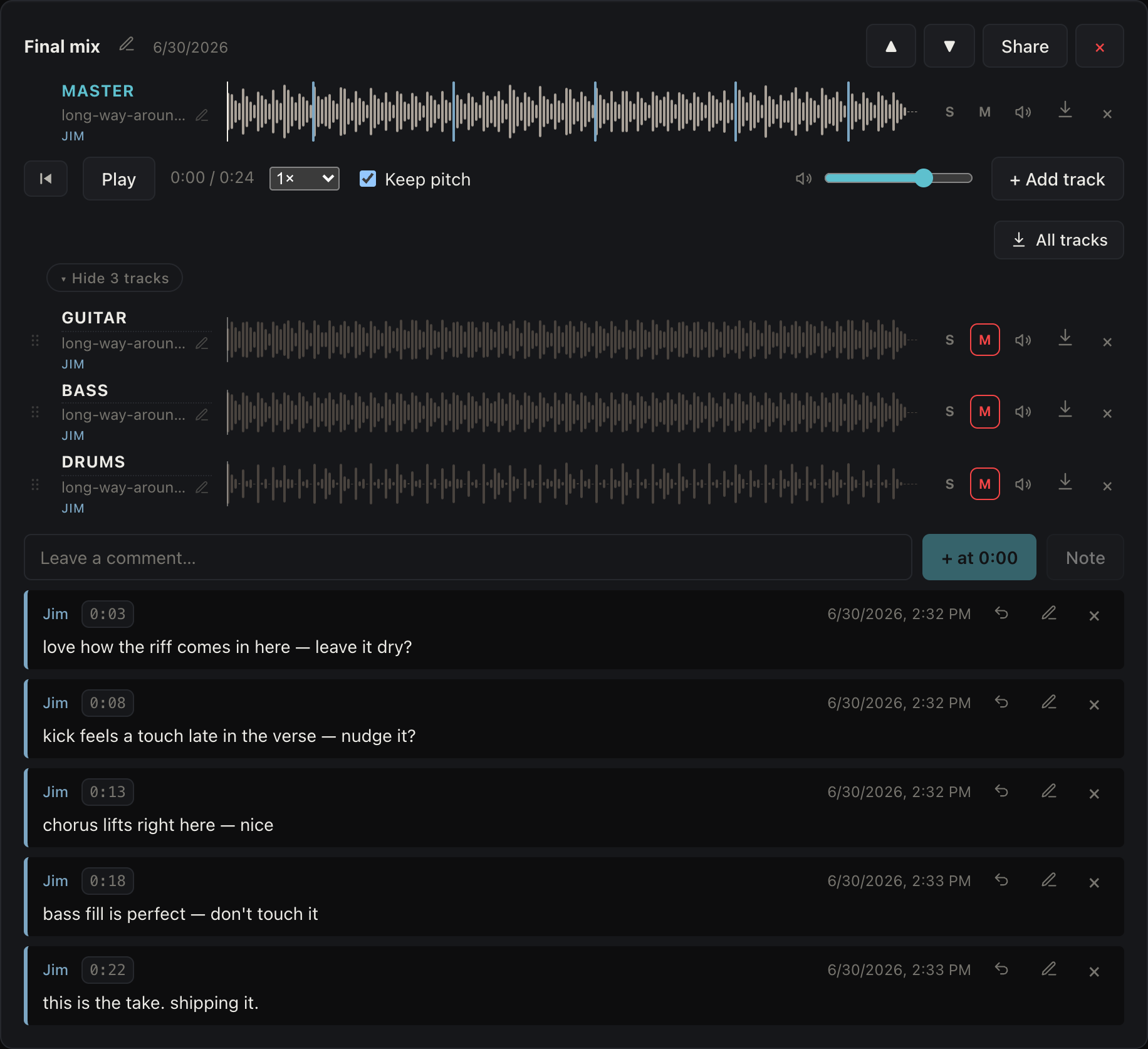
Upload each mix as a version and add the tracks underneath. Solo the vocal, mute the drums, and compare takes.
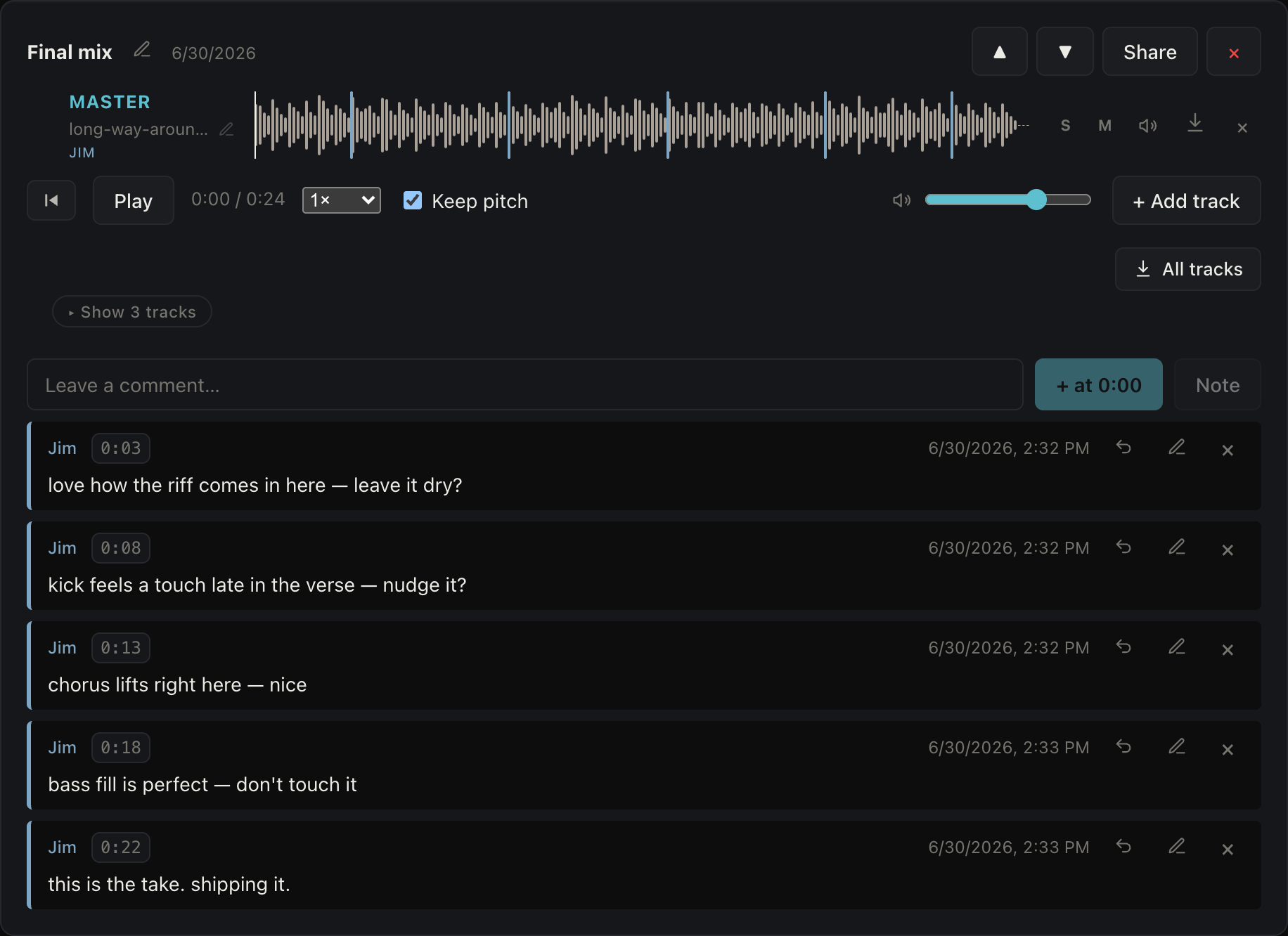
Timestamped feedback
Make a comment at any point in the song. Great for each member being able to write down notes.
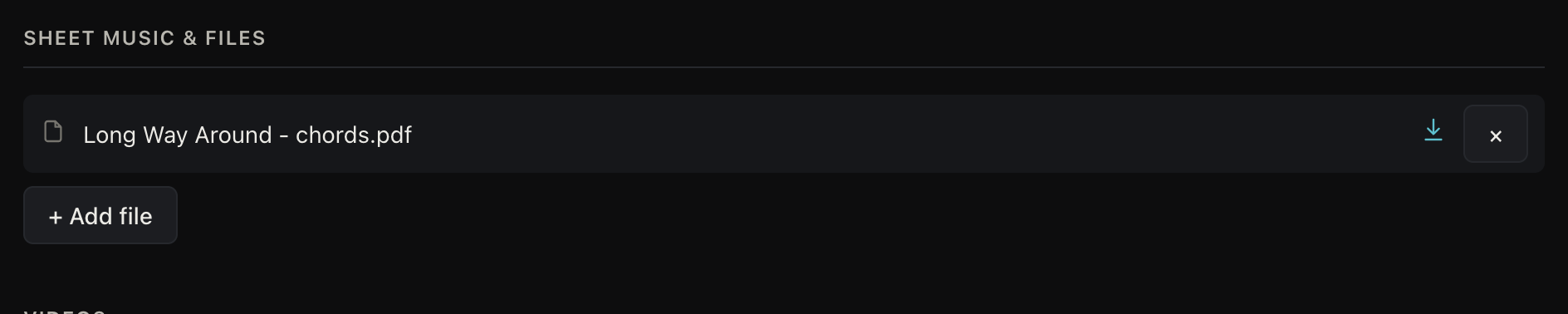
Lyrics, tabs, and files
Keep the lyrics, chord charts, tabs, and loose files attached to the song.
Plans
Pricing
One person buys TrackRoom, then a set number of people can join.
For musicians and bands
The complete app for 2 weeks.
- Unlimited songs
- Up to 12 collaborators
- 50 GB, or connect your own Google Drive or Dropbox
- Then pick a plan to keep going
The full app for you and your collaborators. Cancel anytime.
- Unlimited songs
- Up to 12 collaborators
- 50 GB, or connect your own Google Drive or Dropbox
Buy it once and you own the app.
- Unlimited songs
- Up to 12 collaborators
- 50 GB, or connect your own Google Drive or Dropbox
Prices in USD.
For schools and organizations
For choirs, orchestras, bands, studios, and music programs that run more than one group.
One larger group, billed yearly.
- Up to 30 members in one group
- 100 GB, or connect your own Google Drive or Dropbox
For schools and larger organizations with more than 30 members or several groups.
- A group for every ensemble, choir, or class
- $300 base + $5 per student
FAQ
Common questions
How is this different from a shared Dropbox or Google Drive folder?
It's built around your songs. You play the tracks together, make notes, upload chords, lyrics, tracks, and keep every version in one place.
What devices does it run on?
Web, iPhone, and Android, all on the same account.
Do the people I invite have to pay?
No. Only the person who buys TrackRoom pays. Everyone you invite joins for free.
Who can hear my music? Is it private?
Only the people you invite to an album or song can hear it. Nothing is public, and there's no profile or feed. A song only goes beyond the people you invited if you share a link for it yourself.
Can I use my own cloud storage?
Yes. Connect your own Google Drive or Dropbox, or use the storage that comes with your plan.
Can I upload tracks, not just a final mix?
Yes. Upload a mix as a version and add the tracks underneath, then mute, solo, nudge a track's level while you listen, and compare takes. Most common audio formats work.
Can people leave feedback at a specific point in the track?
Yes. You can leave a comment at any spot in the track.
Do we all have to be in one fixed "band"?
No. You invite people per album or song with a join link, so there's no rigid band to set up. A side project is just a new invite.
Is my stuff locked in? Can I get my files out?
No lock-in. Everything you upload stays yours, and you can download your mixes and tracks anytime.
Can I slow a part down to learn it?
Yes. Every version has a speed control so you can slow a part down to pick it out, with an option to keep the original key. Drag across the waveform to mark a section and loop just that part until you have it.
Can I listen offline, or in the car?
Yes. Save a song to your device and it plays with no signal, and you can add TrackRoom to your home screen.
What languages is it in?
Eleven: English, Spanish, French, German, Portuguese, Italian, Japanese, Korean, Chinese, Indonesian, and Arabic. It follows your device's language by default, and you can set it yourself in Settings.
Can I share a mix with someone who isn't a collaborator?
Yes. Turn on a listen link for any mix and anyone can hear just that version, no account needed. You can also make a whole song public so guests can listen and leave feedback without signing up.
How do I sign in?
With Google, Sign in with Apple, or a one-time link sent to your email. There's no password to remember.
If I delete a song, is it gone for good?
No. Deleted songs and albums go to the Trash on your home screen, with their versions, comments, and lyrics intact, and you can restore them anytime.
Get TrackRoom
Available on web, iPhone, and Android
Use it in your browser or get the app on iPhone and Android, all on the same account. Save songs to listen offline, and add it to your home screen.