TrackRoom guide
Sharing songs and tracks
Upload mixes, add tracks, and keep your versions organized.
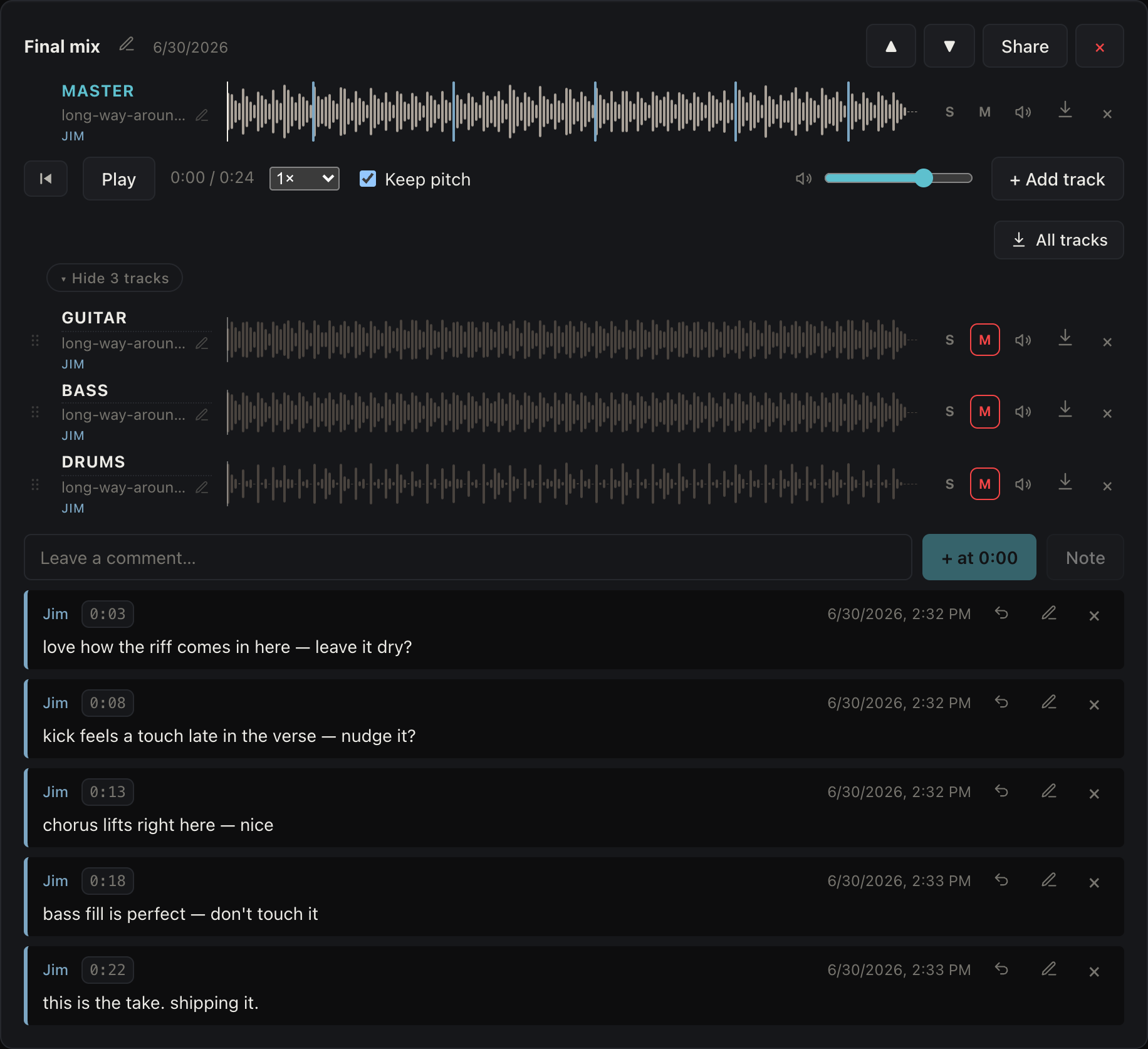
- Open a song and click + Upload version to add a mix or take. Add as many versions as you like.
- Rename a version with the pencil, and reorder them with ▲▼ — the top version stays pinned as you scroll.
- Re-uploading a version carries its comments forward, so feedback isn't lost between takes.
- To add tracks, open a version and use + Add track. You can pick several files at once, and TrackRoom guesses each one's slot from its filename.
- Mute or solo each track, drag to reorder, or download one to drop straight into your DAW.